$150.00
Holiday Hours Notice: We will be closed Dec 24-26. Orders placed after 2 PM CT on Dec 23 will be processed on Dec 29.
View full holiday schedule


Grid Connect can customize or produce a product based on our technology that fits your requirements.

Quickly and effectively implement your partial or complete, networking or embedded product.

We specialize in solving challenging IoT problems in demanding environments. No matter your application requirements.

SKU: GC-CAN-M-RS232-DCE-110
MPN: GC-CAN-M-RS232-DCE-110
Manufacturer: Grid Connect Inc.
Power Supply
Isolation
RS232 Connector
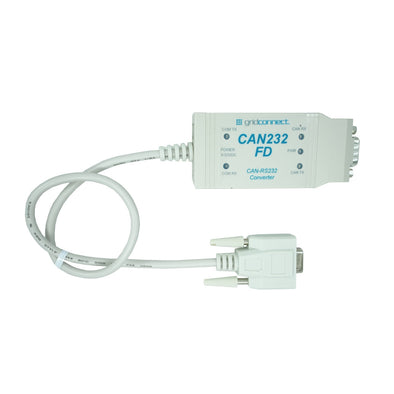
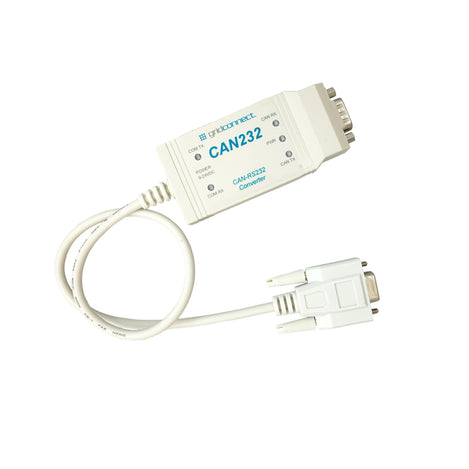
 CAN232 converter provides bi-directional communication between a serial RS232 interface and a CAN 2.0A/B (ISO 11898) Network.
With a wide variety of settings and configuration parameters this CAN RS232 converter creates a powerful solution for interfacing between Serial and CAN (Controller Area Network) Networks.
The RS232 CAN converter can be used in either command mode or virtual circuit mode depending on the functionality desired.
Command Mode:
Command mode on the RS232 CAN converter allows it to send and receive CAN messages through the RS232 port providing complete conversion from RS232 to CAN messages. This mode also supports message filtering limiting the range of CAN identifiers that are received. CAN messages sent and received through the RS232 serial port can be in readable ASCII format, or binary format.

To use Command Mode with the CAN232 adapter connected to a PC, no special software is provided. Simply use a favorite terminal emulation program such as TeraTerm or HyperTerminal, etc. Then, you can send and receive CAN messages through the terminal window. You can write your own software application to send and receive CAN messages by just using the COM port of your PC. If you are writing a software program, consider using the “binary” mode instead of ASCII mode.
Virtual Circuit Mode:
Virtual Circuit Mode allows the CAN232 converter act as a transparent ‘Virtual’ RS232 link between itself and a second RS232 CAN converter. This mode provides the ability to “tunnel” RS232 Serial data between the two adapters, using the CAN network for transport. For example, this could be used to reach a remote serial port that is in a machine or engine that uses CAN, to get at the serial port for configuration, or data logging.

CANbus Features:
RS232 Features:
Serial RS232 CAN Manual
RS232 CAN Converter (GC-CAN-RS232) Product CD
Baud Rate
COM RS232 Serial: Up to 1 Mbps
Characters T
7 or 8 data bits
Connector(s)
Current
150 ma
Indicators LED
Isolation
5000 VRMS for ISO1050DW and 2500 VRMS for ISO1050DUB and ISO1050LDW
MPN
GC-CAN-M-RS232
Parity
odd, even, mark, space, none
Pinout
Ports
COM RS232 Serial Port: RS232 3-Wire DCE Pinout / RS232 3-Wire DTE Pinout
Power Supply
7-24 VDC, 3/4 Watt ; (9VDC, 550ma Wall supply optionally included)
Receive Message Buffer
Slew Rate Adjust
Stop Bits
1 or 2
Temperature Range
Operating: -40°C to +85°C (-40°F to +185°F)
Transceiver
AN Network Port: ISO1050 CAN Transceiver up to 1 mbit/s
Please fill out the information below and our sales team will respond within 1 business day.
What you can expect from Grid Connect: